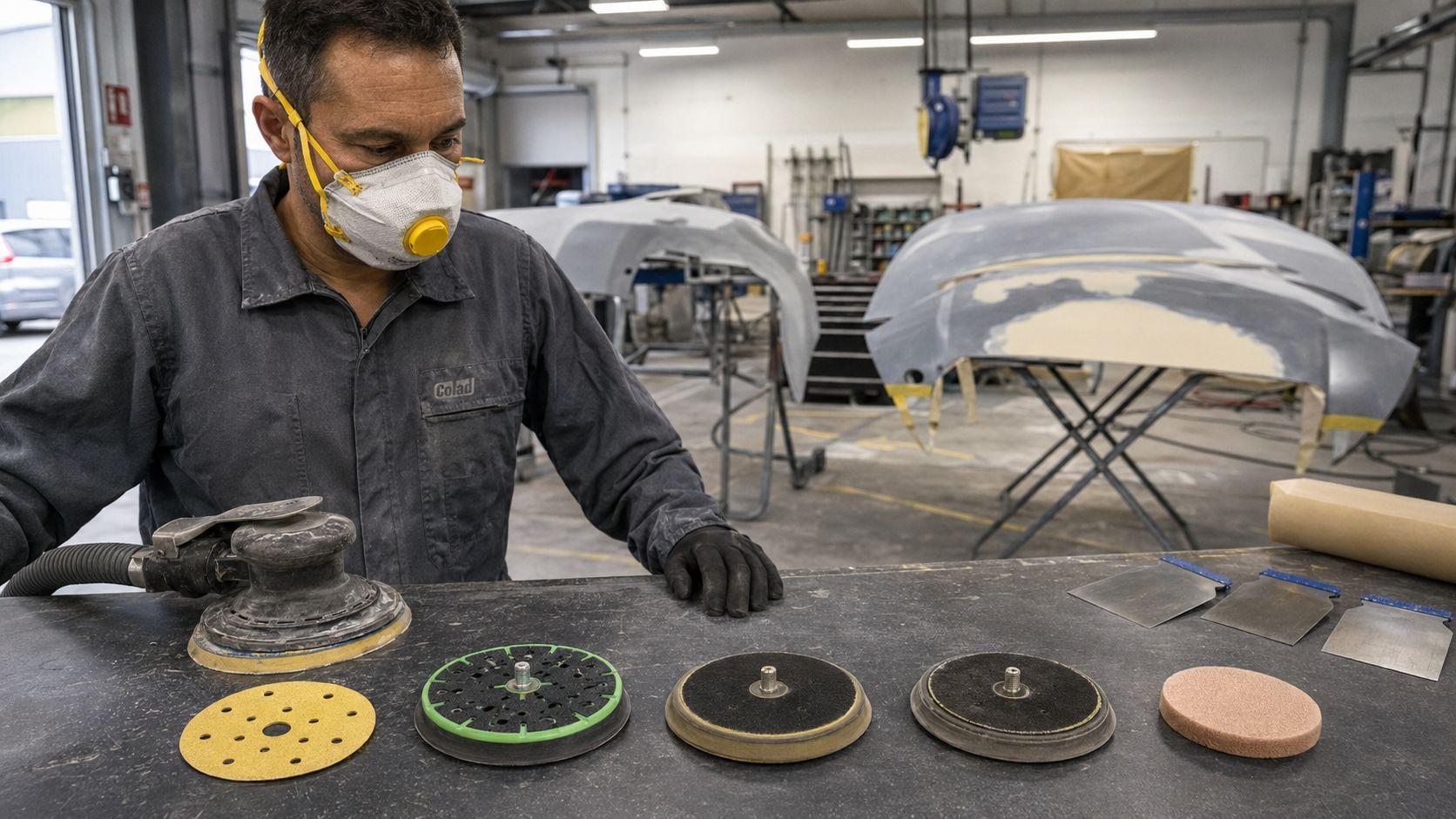
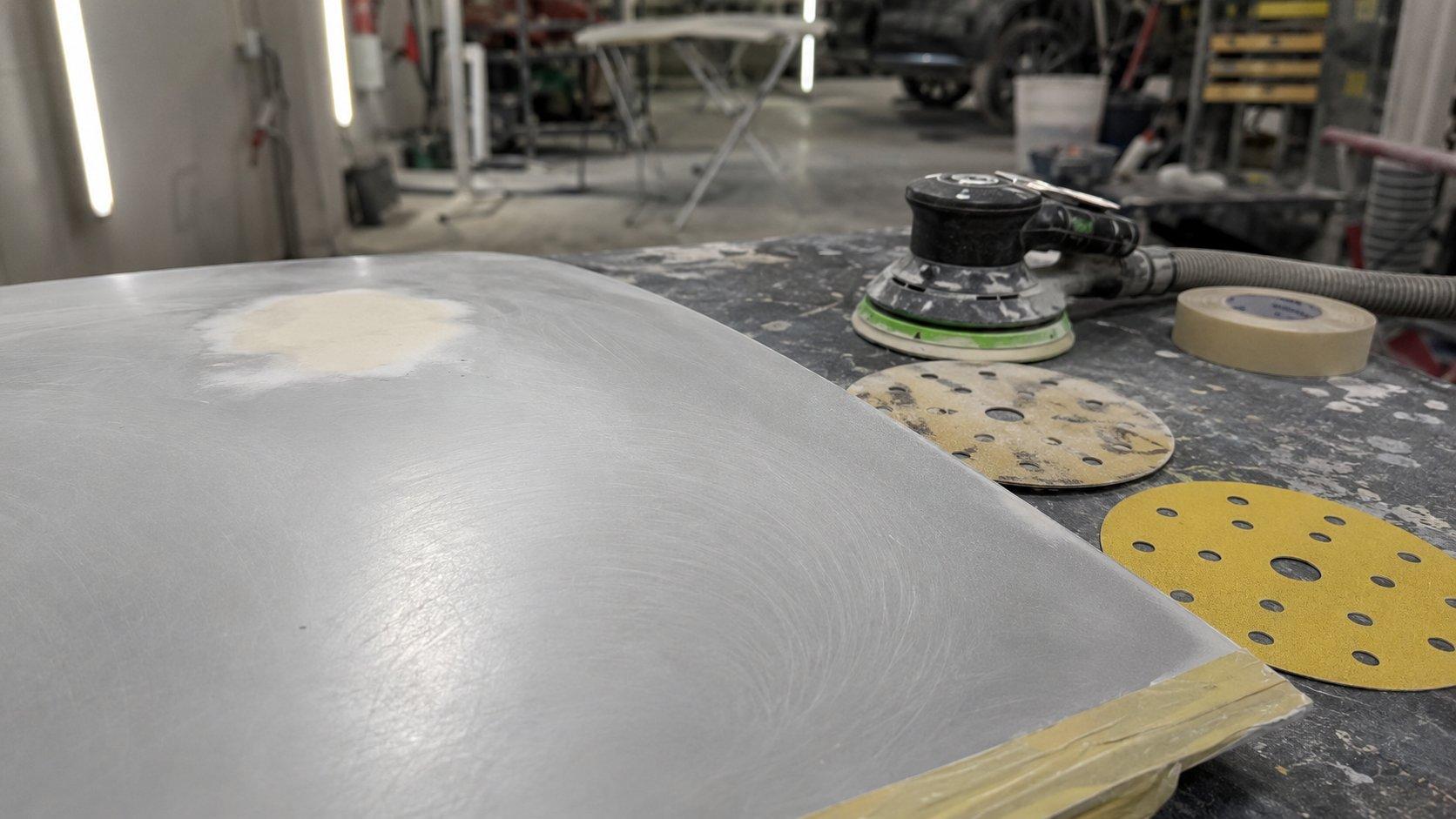
What Causes Pigtails When Sanding Filler, Primer and Paint Prep? 7 Fixes Panel Shops Should Check First
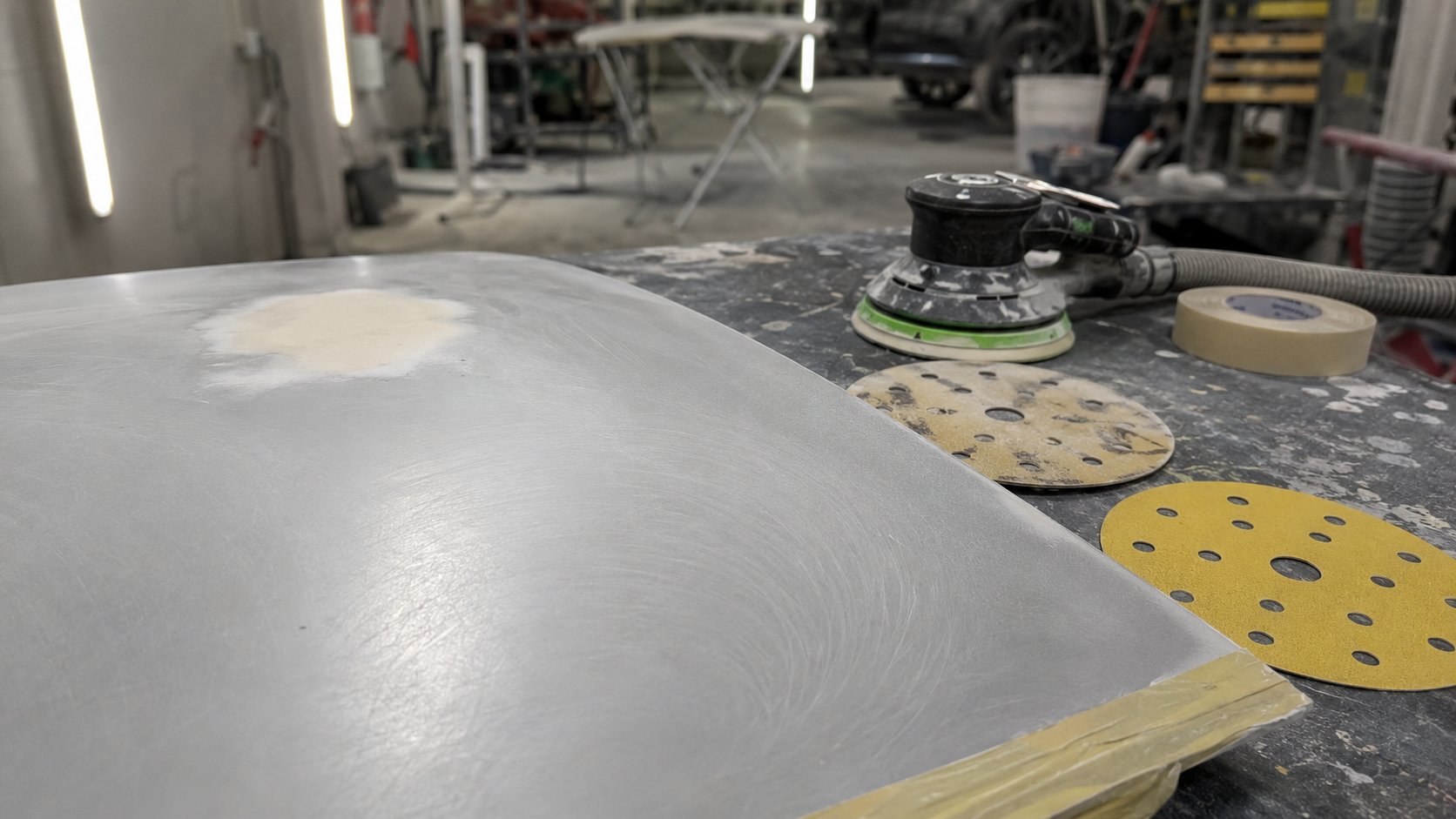
Pigtails are small curly or spiral sanding scratches left by a DA sander when the abrasive stops cutting cleanly across the panel. In a panel shop, they usually appear during bog (body filler) refining, primer sanding or fine paint prep when dust, trapped grit, a worn backing pad, weak extraction, skipped grit steps or heavy pressure interrupts the scratch pattern.
The frustrating part is timing. The repair can look fine under ordinary workshop light, then the marks show after guide coat, primer, basecoat or a metallic colour. That means rework. And most of the time, the fault is not mysterious. Something in the sanding setup has started dragging contamination, pressure or old scratches across the job.
This guide is written for Australian panel shops using 150mm DA sanding setups on filler, primer and pre-paint prep. It is built around a simple workshop pattern: symptom, likely cause, what to check, fix.
Quick answer for panel shops
If you are seeing sanding pigtails, check these first:
| What to check | Why it matters | Fast fix |
|---|---|---|
| Dust or grit under the disc | Loose debris gets trapped and dragged in a spiral pattern. | Blow off, vacuum, wipe and fit a clean disc before continuing. |
| Loaded or worn disc | A dull or packed abrasive skates instead of cutting cleanly. | Replace the disc before it turns shiny, clogged or patchy. |
| Backing pad condition | A worn pad creates uneven pressure and poor disc contact. | Inspect hooks, pad edges, pad flatness and the interface pad. |
| Dust extraction | Weak suction leaves sanding dust sitting under the abrasive. | Check hose, filter, cuff seal, pad holes and disc alignment. |
| Grit progression | Skipped steps leave scratches the next grit cannot remove properly. | Work through the grades instead of jumping too fine too early. |
| DA pressure and angle | Leaning hard or tilting the sander makes the disc edge bite. | Keep the pad flat and let the abrasive cut. |
For a related dust and loading diagnosis, read Why Do Sanding Discs Clog? Panel Shop Dust Extraction Checklist. Clogging and pigtails are different problems, but they often come from the same weak points.
What pigtails actually look like
Pigtails look like short curly scratches, small hooks, tight swirls or spiral marks. They are different from straight-line block scratches and different from random gouges caused by dragging a dirty rag or bit of loose grit across the panel.
On filler, pigtails can show around the edge of the repair where the pad is riding unevenly. In primer, they often appear after guide coat or under stronger inspection lighting. During fine paint prep, they can be hard to spot until the surface is cleaned and viewed at an angle.
The giveaway is repetition. One random scratch may be contamination. Repeated curly marks across the sanding path usually mean the DA setup is repeating the same fault.
Sanding pigtails: symptom table
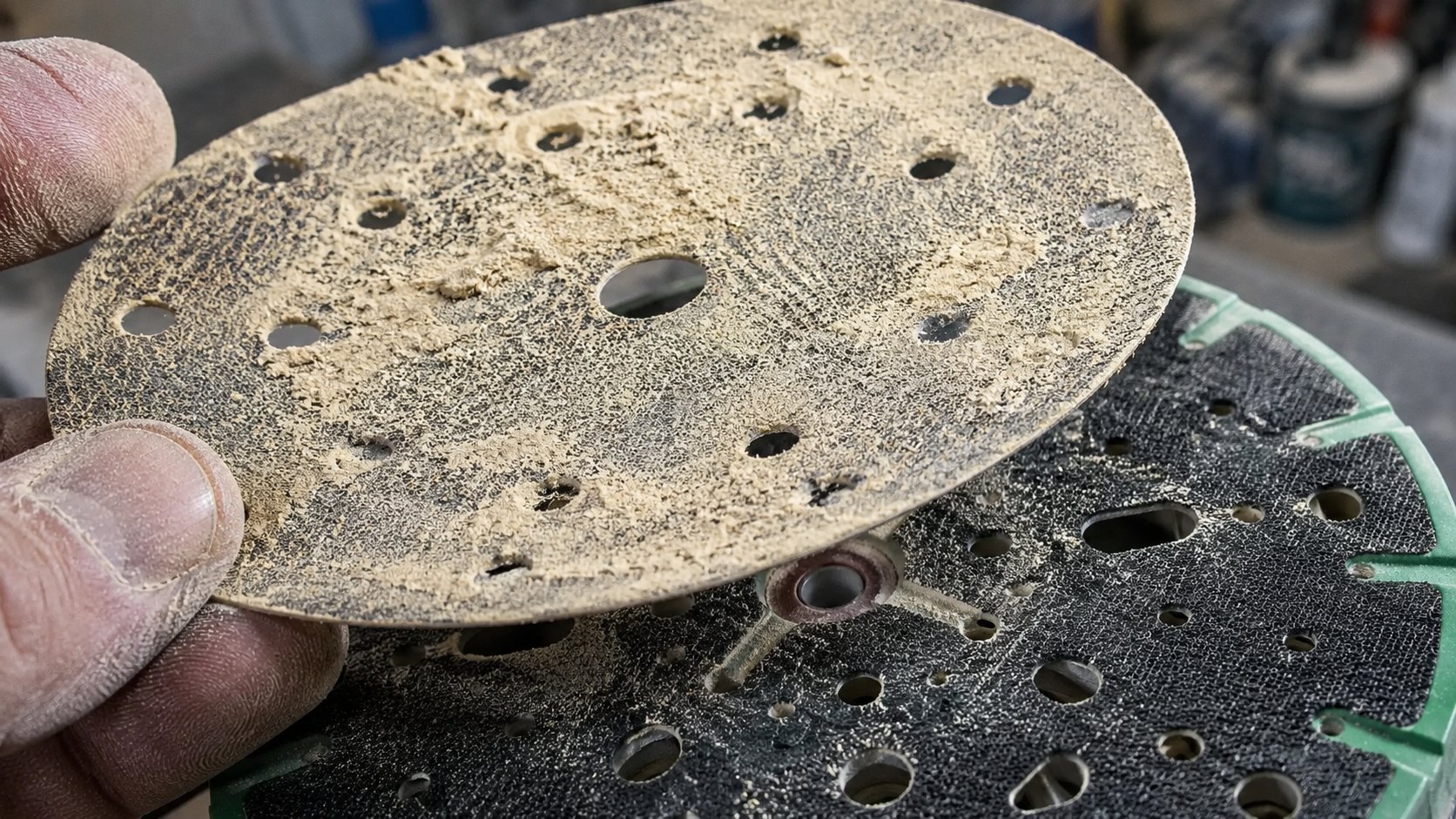
Start with the mark you are seeing. Then check the likely cause before blaming the disc, the sander or the person using it.
| Symptom on the panel | Likely cause | What to check first |
|---|---|---|
| Curly scratches after sanding primer | Dirty disc, loaded abrasive or trapped grit | Disc face, panel cleanliness and extraction |
| Pigtails on filler edges | Pad tilt, worn pad or too much pressure on the edge | Backing pad flatness, interface pad and DA angle |
| Marks get worse as the disc ages | Disc has lost cut or is loaded with filler dust | Fit a fresh disc and compare the scratch pattern immediately |
| Marks only appear on curves or swage lines | Pad too hard, no interface pad or operator riding the edge | Pad hardness, interface pad and hand position |
| Dust sits on the panel while sanding | Weak extraction, blocked holes or hose restriction | Extractor flow, hose, cuff seal and hole alignment |
| Deep scratches still visible after primer | Skipped grit step or poor scratch inspection | Grit sequence and whether old scratches were fully removed |
7 causes of pigtails when sanding filler, primer and paint prep
1. Dust or grit is trapped between the disc and the panel
This is the first check because it is common and easy to fix. A tiny piece of dried filler, old abrasive grain, primer dust or workshop grit can sit between the disc and the surface. Once the DA starts orbiting, that speck becomes a little cutting tool.
This often happens after a rushed grit change. The tech pulls off one disc, puts on the next and keeps going before the panel, pad and disc face are clean. It saves a few seconds and can cost half an hour.
Fix: blow off, vacuum and wipe between stages. Keep fresh discs face-up and clean. Do not drop them on a dusty bonnet, a filler-covered bench or beside old bog scrapings.
2. The sanding disc is loaded or worn
A loaded sanding disc has material packed between the abrasive grains. A worn disc has lost its cut. Both can leave inconsistent scratches because the disc stops shaving the surface cleanly and starts skating, heating or dragging debris.
On filler, a disc can load if the bog is still soft, the grit is too fine or the dust is not clearing. On primer, loading can happen when the primer has not cured enough for clean sanding or the operator keeps using a disc after it has gone shiny.
Fix: replace discs before they become glazed, patchy or packed with dust. For filler-heavy work, compare cost per job, not just price per disc. A disc that cuts cleanly for longer can be cheaper than a cheaper disc that causes rework.
For a broader 150mm DA setup overview, see the 150mm automotive refinishing sanding disc guide.
3. The grit progression is wrong for the stage
Skipping grits feels efficient until the scratches come back. A finer disc cannot always remove deep scratches left by a much coarser step, especially if the operator is only smoothing the top of the scratch rather than cutting it out.
Filler shaping needs cut. Primer sanding needs consistency. Fine prep needs cleanliness and control. The exact process should follow the paint system and product data being used in the shop, but the principle stays the same: do not jump from heavy cutting straight to fine finishing and expect primer to hide everything.
| Stage | Typical grit zone | Main pigtail risk |
|---|---|---|
| Initial filler shaping | P60-P80 | Soft filler loading the disc or edge pressure digging in |
| Filler refining | P120-P180 | Not fully removing coarse shaping scratches |
| Final filler and feather edge | P220-P320 | Moving too fine before the shape is actually clean |
| Primer surfacer sanding | P400-P600, depending on paint system | Contamination, loaded primer dust or old scratches showing through |
| Fine prep and correction | P800 and finer, depending on the job | Dirty surface, wrong interface choice or uneven pressure |
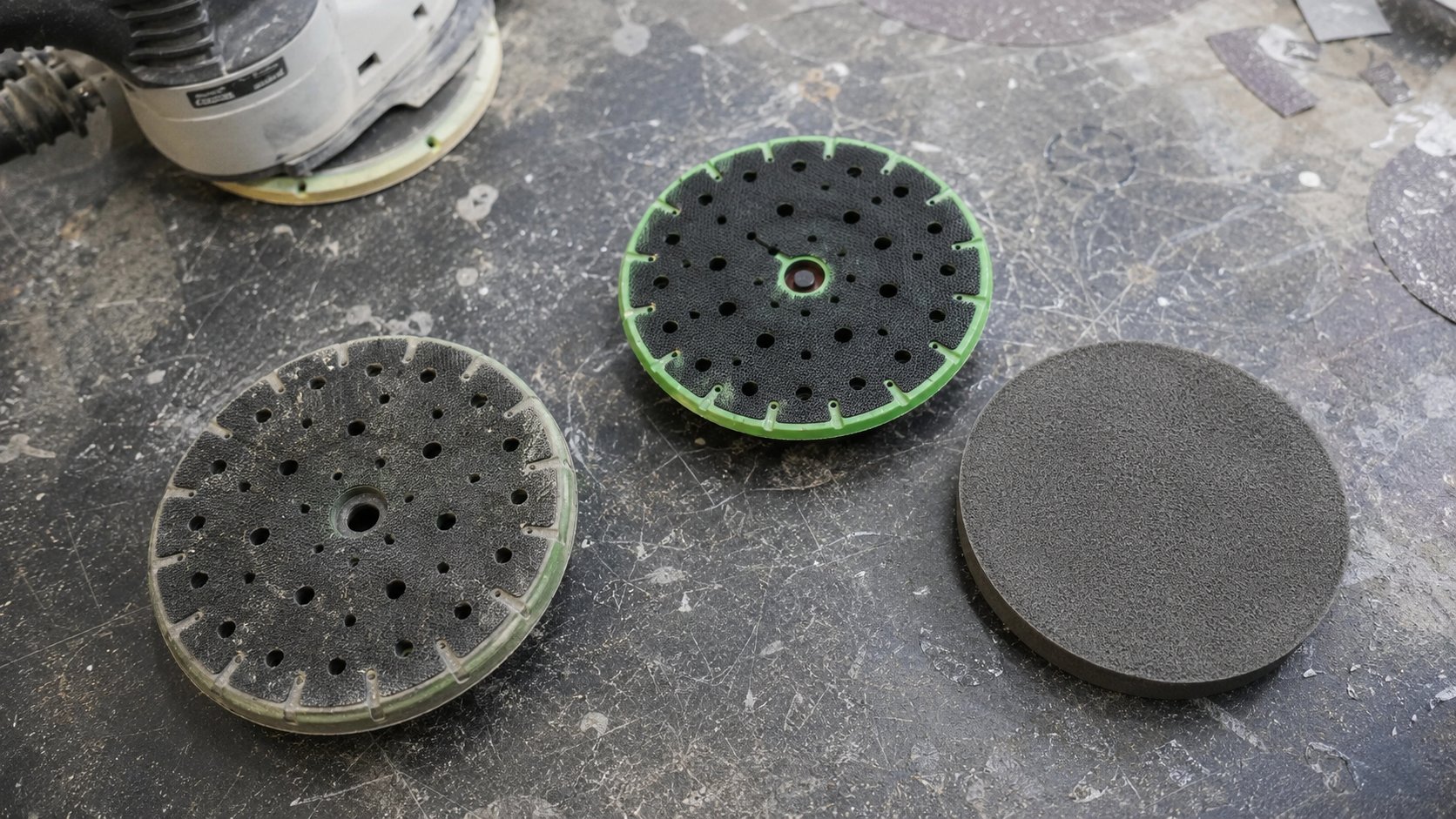
4. The backing pad is worn, too hard or wrong for the surface
A tired backing pad is easy to miss because it does not always look destroyed. The hooks flatten. The edge rounds over. The pad loses flatness. The disc starts to move, chatter or ride unevenly, then the scratch pattern follows.
Harder pads suit flatter cutting and heavier shaping where you need control. Softer interface pads help spread pressure on curves, edges, blends and finer prep. Problems start when one worn pad gets used for every stage and every surface.
Fix: inspect the hook face, edge shape and pad flatness. If the disc does not hold properly, the pad is past it. If pigtails appear on curves but not on flat sections, test a suitable interface pad before changing the whole abrasive system.
5. Dust extraction is weak, blocked or mismatched
Pigtails love dust. When dust is not pulled away from the sanding face, it sits under the disc and gets dragged into the scratch pattern. The sander can sound normal while extraction at the panel is doing very little.
Check the boring stuff first: blocked hose, packed filter, loose cuff, poor seal, clogged pad holes, damaged pad ports and disc holes that do not line up with the backing pad. A 150mm disc can be the right diameter and still be the wrong setup if the extraction pattern does not match.
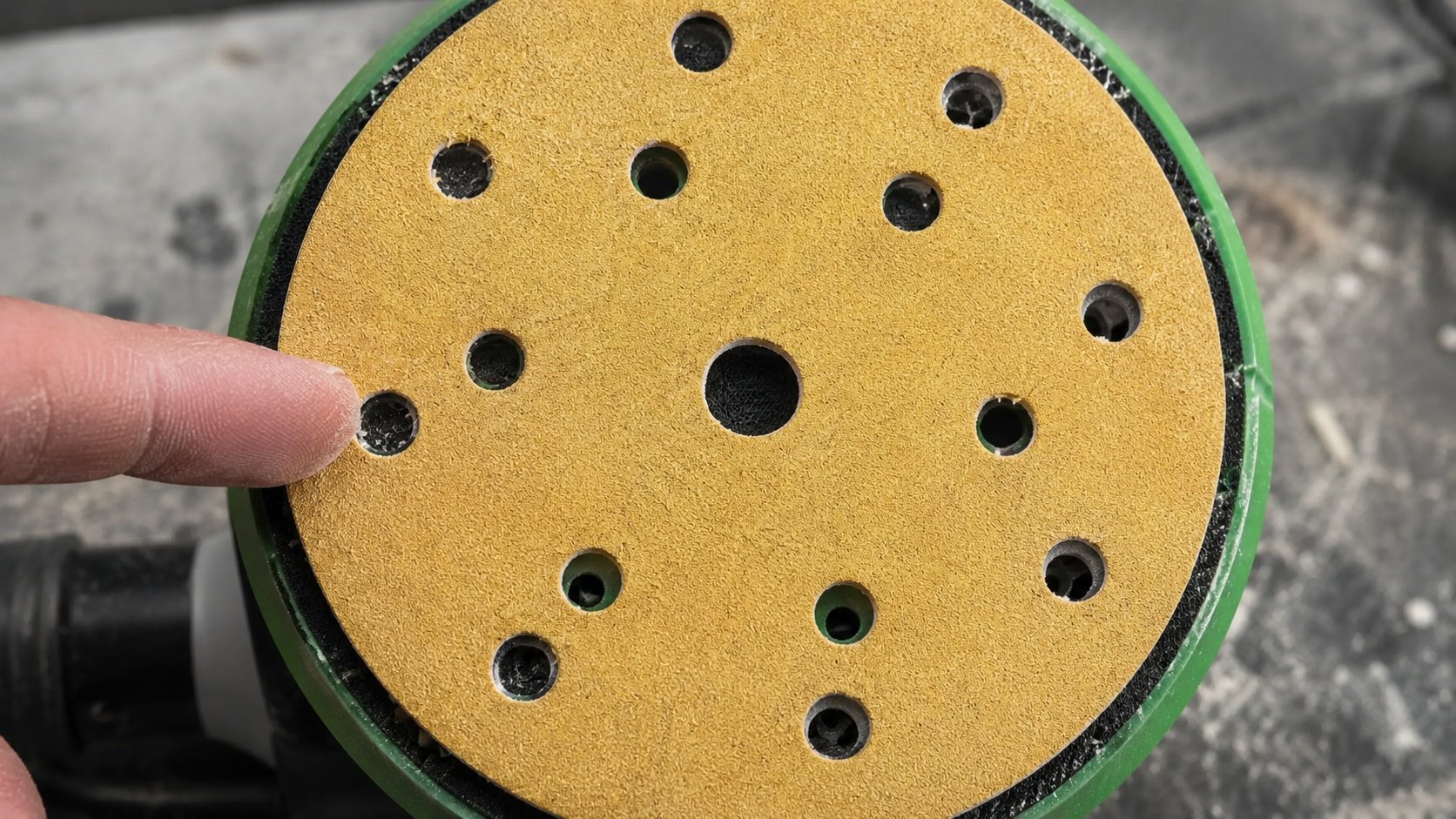
For extraction-focused disc selection, see 15-hole sanding discs Australia.
6. The operator is leaning too hard or tilting the DA
Heavy pressure does not make a dull disc cut like a fresh one. It creates heat, loads the abrasive, squashes dust into the face and makes the edge of the pad dig. That is how a small setup issue becomes a visible defect.
The DA should sit flat. The operator guides it. If the sander needs body weight to cut, something else is wrong: the grit is too fine, the disc is worn, the filler is too soft, the vacuum is weak or the pad is not making proper contact.
Fix: reduce pressure, keep the pad flat and use steady overlapping passes. On edges and body lines, slow down and let the pad follow the panel rather than riding one sharp point.
7. The setup does not match the surface: filler, primer or final prep
The same sanding habit does not suit every stage. Filler needs cut and shape control. Primer needs scratch consistency. Fine paint prep needs cleanliness, pad control and a surface that does not telegraph old marks.
Using the same pressure, same pad and same disc type across all three stages is asking for trouble. A setup that feels quick on bog can be too aggressive for primer edges. A soft interface that feels safe on curves can feel vague on a flat filler repair if used too early.
Fix: match the abrasive, pad and technique to the stage. Standardise the shop process where you can. When every tech uses a different disc, pad and grit sequence, diagnosing pigtails becomes guesswork.
Filler vs primer vs paint-prep pigtails
Pigtails when sanding filler
When pigtails show in filler, start with cure time, grit choice and disc loading. Soft bog clogs fast. A grit that is too fine can skate and pack up. Too much pressure on an edge can make the DA bite instead of cutting evenly.
Use guide coat when refining shape, especially before moving to the next grit. If the deeper scratches remain, the next stage will not magically remove them.
Pigtails in primer surfacer
Primer pigtails are often contamination or loading problems. Primer dust can build up quickly, especially if the extraction is weak or the primer has not cured enough for clean sanding.
Do not keep sanding with a disc that has started leaving shiny tracks, curly marks or inconsistent patches. Replace it, clean the surface, then inspect the scratch pattern before carrying on.
Pigtails during fine prep before paint
Fine prep is less forgiving. Old scratches, dirty discs and trapped dust can show later, especially on metallic colours or critical blends. Keep the surface clean, use the right interface where needed and avoid rushing the final grit step.
This is where shop habits matter. If one person blows dust across the bay, another drops discs on a dusty bench and a third keeps using worn pads, the final finish pays for it.
How to remove pigtails once they appear
Once you can see pigtails, stop. Do not keep sanding over them with the same disc and the same pressure. That usually spreads the defect and makes the scratch pattern harder to read.
- Clean the panel. Blow off and vacuum dust before you inspect the marks.
- Remove the suspect disc. Check the face for loading, shiny spots, torn abrasive or grit stuck in the surface.
- Check the pad. Look for flattened hooks, rounded edges, blocked holes or poor disc hold.
- Step back one grit if needed. If the pigtails are deeper than the current grit can remove cleanly, go back a step rather than polishing the tops of the scratches.
- Re-sand a small area flat. Use a clean disc, light pressure and proper extraction.
- Inspect before moving on. Use guide coat or proper lighting to make sure the marks are actually gone.
Do not rely on primer to bury obvious pigtails. Primer can hide a lot under poor light, but the scratch can come back once the surface is blocked, cleaned or painted. Fix the mark while you still control the prep stage.
The 30-second pigtail test
Before changing abrasive systems or blaming the sander, run this quick check on a clean test area.
- Stop sanding as soon as repeated curly marks appear.
- Remove the disc and inspect the abrasive face for loading, shiny patches or debris.
- Check the backing pad hooks, edge shape and extraction ports.
- Make sure the disc holes line up with the pad and extraction path.
- Feel for suction at the pad face with the extractor running.
- Clean the panel properly.
- Fit a fresh disc in the correct grit.
- Sand a small flat test patch with light pressure and a flat pad.
- Inspect under guide coat or proper lighting before continuing.
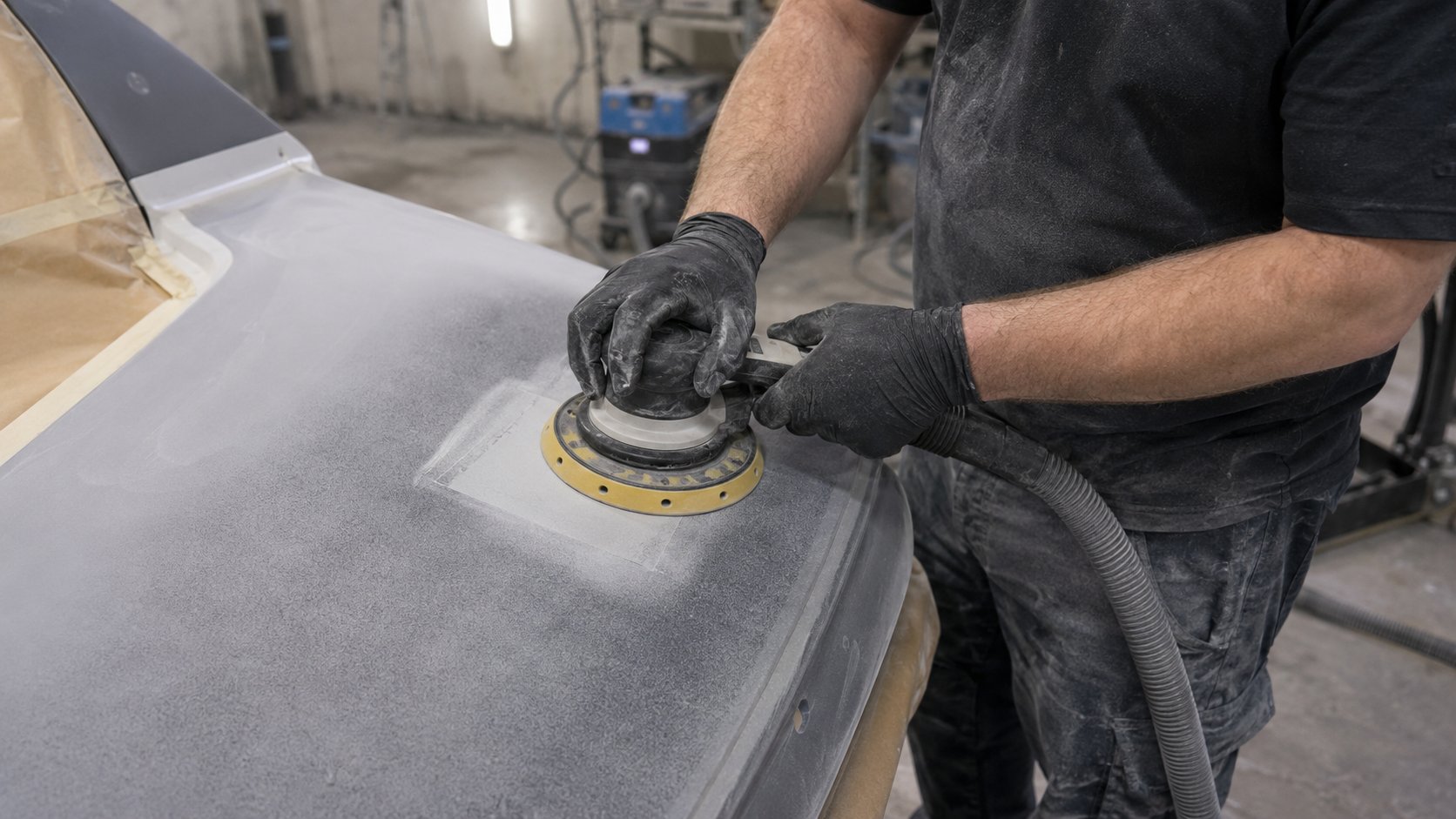
If the pigtails disappear with a fresh disc and clean surface, the old disc was probably loaded, worn or contaminated. If the pigtails stay, look harder at pad condition, extraction, pressure, grit sequence or sander movement.
Is it the disc or the setup?
This is where shops waste money. They change abrasive brands when the pad is worn. Or they keep using cheap discs when the setup is fine but the disc simply cannot hold its cut.
| What happens | More likely problem | What to do next |
|---|---|---|
| Fresh disc cuts clean, old disc leaves pigtails | Disc life, loading or contamination | Replace earlier and compare disc performance on the same job |
| Fresh discs still pigtail | Pad, extraction, pressure, grit sequence or sander issue | Run the 30-second test and inspect the pad system |
| Pigtails appear only on curves | Pad hardness, no interface pad or edge pressure | Test a suitable interface pad and flatten the DA angle |
| Dust sits on the panel with every disc | Extraction system | Check hose, filter, pad ports and hole pattern |
| Marks show after primer or paint | Skipped grit step or poor scratch inspection | Use guide coat and refine scratches before moving on |
For shops buying discs in volume, the better question is not “which disc is cheapest?” It is “which setup gives the most consistent scratch pattern with the least rework?” Start there and the buying decision gets clearer.
What to check first before you keep sanding
When pigtails appear, do not keep sanding and hope the next stage sorts it out. Use this order:
- Clean the panel. Remove loose dust, grit and old abrasive debris.
- Change the disc. A loaded disc will keep repeating the same fault.
- Inspect the pad. Look for rounded edges, flat hooks and poor disc hold.
- Check extraction. Confirm the hose, filter, cuff and hole pattern are working together.
- Reduce pressure. Keep the DA flat and let the abrasive do the cut.
- Check the grit step. Make sure the previous scratches were actually removed before moving finer.
It sounds basic because it is. Most sanding defects are easier to solve once you stop and check the system in order.
Want a cleaner sanding setup across the whole shop?
If your team is fighting repeated pigtails, loading or scratch inconsistency, standardising the discs, pads and grit sequence usually does more than swapping one product at a time.
Recommended SPX guides and pages
- Why Do Sanding Discs Clog? Panel Shop Dust Extraction Checklist
- Best 150mm Sanding Discs for Automotive Refinishing in Australia
- Best Sanding Discs for Body Filler in Australia
- Best 15-Hole Sanding Discs Australia for Cleaner Prep
- 150mm Sanding Discs Australia
- 15-Hole Sanding Discs Australia
- Ceramic Sanding Discs Australia
- Sanding Pads
- Wholesale Account Applications
FAQ: sanding pigtails in filler, primer and paint prep
What causes pigtails when sanding filler?
Pigtails when sanding filler are usually caused by loaded discs, trapped filler dust, soft or uncured bog, too much pressure, a worn backing pad or using a grit that is too fine for the stage. Start by cleaning the panel, fitting a fresh disc and checking the pad before you keep sanding.
Can poor dust extraction cause pigtails?
Yes. Poor extraction lets dust stay under the disc. That dust can then be dragged around the panel in a tight spiral scratch pattern. Check the extractor hose, filter, cuff seal, backing pad holes and disc hole alignment.
Does a worn backing pad cause pigtails?
Yes. A worn backing pad can create uneven contact, poor disc hold and edge pressure. If the hook face is flattened, the edge is rounded or the pad is no longer flat, replace it or test the correct interface pad for the surface.
Are pigtails caused by using the wrong grit?
They can be. Jumping too quickly to a fine grit can leave earlier scratches behind, while using a grit that is too fine on filler can load the disc and make it skate. Follow a proper grit progression for filler, primer and pre-paint prep.
How do I stop pigtails with a DA sander?
Keep the pad flat, reduce pressure, use a clean and sharp disc, match the disc holes to the backing pad, keep extraction working and clean between grit steps. If pigtails remain with a fresh disc, inspect the pad, interface pad and grit sequence.
Can loaded sanding discs cause pigtails?
Yes. A loaded disc stops cutting cleanly. It can drag packed dust, dried filler or primer debris across the panel and leave curly scratches. Replace loaded discs before they become shiny, patchy or clogged.
How do you remove pigtails after they appear?
Clean the panel, replace the suspect disc, inspect the backing pad, then step back one grit if the scratches are too deep for the current grit to remove. Re-sand a small clean area, inspect under proper light or guide coat, then continue only once the marks are gone.
Why do pigtails show up after primer or paint?
Pigtails can hide during prep if the lighting is poor, the surface is dusty or guide coat was skipped. Primer and paint can make inconsistent scratches more visible, especially on critical colours and metallic finishes.
Article details: Written for Australian panel shops, spray painters, prep teams and workshop buyers using 150mm DA sanding systems for filler, primer and paint preparation.
Featured SPX Products
A quick shortlist selected for this article.